Quick Answer: Two-factor authentication stops most hackers, but not all of them. It swats away the lazy stuff, stolen passwords, guesswork, and recycled logins. The clever crooks, though? They’ve got tricks. SIM swaps, fake login pages, and more. So does two-factor authentication really stop hackers? Mostly, yes. Just don’t lean on it as your only lock.
Everyone swears by it. Flip on that little code and, boom, you’re untouchable. Or so the story goes.
- A second code means a nicked password on its own gets a hacker precisely nowhere.
- Most everyday attacks bounce right off it.
- Text-message codes? Weakest of the bunch and prime SIM-swap bait.
- Apps, passkeys, and hardware keys are much more effective.
- It is best treated as one layer, not the whole wall.
What Is Two-Factor Authentication?
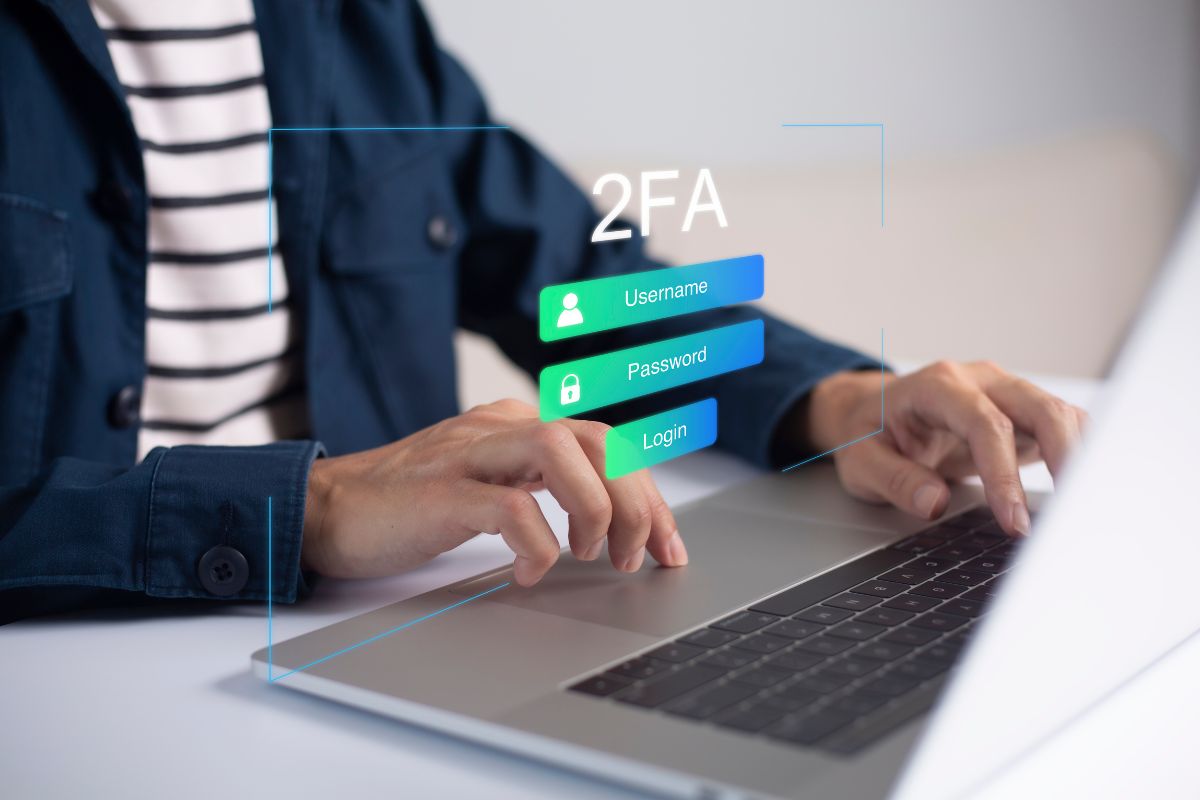
Picture a bouncer who checks two things, not one. First, something you know, your password. Then something you have, like your phone or a key fob. Or something you are: a fingerprint or your face.
You know the drill. Type the password. Wait for the text. Punch in the code. No code, no entry. Simple. This is the everyday face of multi-factor authentication (MFA), a fancy way of saying “more than one check”. And it’s not just for apps, some buildings want an ID badge plus a fingerprint at the door.
Also Read: Security Test: Can Facial Recognition Be Fooled by a Photo?
How 2FA Works
Every proof slots into one of four boxes. Something you know (password, PIN). Something you have (phone, token). Something you are (biometrics). And how you behave, your usual spot on the map, your IP, and even how fast you type. Proper 2FA mixes two different boxes. Password plus a security question? Doesn’t count; both are stuff you know. That’s two-step verification in a disguise.
Beyond Identity says 2FA is the most basic MFA and can make you feel safer than you are. Passwords are the soft underbelly. IBM’s Cost of a Data Breach Report pins around 10% of breaches on stolen credentials, and once you throw in phishing, that climbs to roughly 26%.
Over 555 million passwords have already spilt online. We reuse them like magpies, so one leak can crack open five accounts.
Does Two-Factor Authentication Really Stop Hackers?
For the day-to-day rabble? Absolutely. Mitnick Security rates it one of the simplest, most effective ways to prevent break-ins, and it stops most account takeovers before they start. It shrugs off:
- Phishing: they’ve got your password, sure. Your phone? Not a chance.
- Credential stuffing: yesterday’s leaked login won’t open today’s account.
- Brute force: guess all day; you still need that code.
Keeper Security reports that username and password in hand, a hacker’s still stuck at the gate without the second factor.
Also Read: Does Incognito Mode Really Hide Your Browsing History?
How Hackers Bypass 2FA
2FA is no magic force field, and the smart ones have found the cracks.
- Fake websites: CNET pointed to a nasty tool called Modlishka. It clones a real site on the fly and runs the whole con on autopilot. You feed your password and code into the fake, and the hacker slots them straight into the real one.
- SIM swapping: They ring your network, pretend to be you, sob that the phone’s gone missing, and get your number shifted onto their SIM. Every code now buzzes on their handset. Ask Twitter boss Jack Dorsey, who did exactly this in 2019 after admitting he had been lax about security.
- MFA fatigue: Prompt after prompt after prompt, until you tap “approve” just to shut it up.
- Man-in-the-middle: Dodgy airport Wi-Fi, and someone’s plucking your code out of thin air.
- OAuth consent phishing: A phoney “log in with Google” box, and you’ve waved a stranger through, no password required.
Half the time, mind, it’s plain habit. One sleepy “yes” and you’ve posted your front-door key through the letterbox. Crooks also wriggle in via account recovery, resetting your password with an unguarded question, mum’s maiden name, anyone?
Which 2FA Methods are Safest?
Not all 2FA is cut from the same cloth. Quick rundown:
| Method | How Safe | Weak Spot |
| SMS codes | Low | SIM swaps, interception |
| Authenticator apps | Medium–High | Malware, MFA fatigue |
| Hardware keys | Very High | Lose it, you’re stuck |
| Passkeys / biometrics | Very High | Can’t reset your face |
SMS beats nothing, but only just, and it’s wide open to SIM cloning. Apps like Google Authenticator or Authy generate a new code on your phone every 30 to 60 seconds, no signal needed, so they’re hard to steal. Hardware keys, fobs, and USB dongles are tougher still. Just don’t misplace them, since lost and stolen gadgets feature in roughly 9% of breaches.
Also Read: Is 5G Actually Harmful to Health? What the Science Says
How to Turn On 2FA
Poke around your security or login settings. Gmail, Outlook and Yahoo cover email. Microsoft 365, AWS and Google Workspace go further with beefier MFA. Loads of banking apps flip it on for you. And Facebook, Google, Dropbox, GitHub and Microsoft all welcome hardware keys.
Best Practices to Stay Safe
- Ditch SMS when you can. An app or key beats a text.
- Never hand over a code. No legit company will ever ask.
- Don’t tap dodgy links. Hover, or run them past a URL checker.
- Skip logging in on public Wi-Fi. VPN or nothing.
- Lock your SIM with a PIN. The iPhone hides it under Settings > Cellular > SIM PIN, while Android hides it under SIM card lock. Swap that default 1111.
- Switch 2FA on everywhere. One weak account sinks the ship.
The Passwordless Future
Passwords are shuffling towards the graveyard. Passkeys, built on the FIDO standard, swap the shared secret for public key cryptography, so there’s simply nothing lying about for a hacker to swipe. No password, no password attack. That’s the road most experts reckon we’re heading down.
Final Verdict
So, does two-factor authentication really stop hackers? Mostly, yes. It stops most automated and password-based attacks and gives you extra time to deal with the rest. It’s not flawless, SMS is its Achilles heel, but it thrashes a lone password every single time.
Use it everywhere, support it with a password manager and a bit of common sense, and reserve passkeys or hardware keys for your most important accounts. Do that, and almost every hacker walks off empty-handed.
Also Read: 8 Mixed Reality Experiences You Need to Try in the UK Right Now
Frequently Asked Questions
Is two-factor authentication 100% safe?
Ans: Nope. It blocks most attacks, but phishing and SIM swaps can still sneak through. Pair it with good habits.
Which type of 2FA is safest?
Ans: Hardware keys and passkeys, hands down. No shared secret to steal, and nothing to intercept like a text.
Can hackers really get past 2FA?
Ans: They can, through SIM swaps, fake sites, MFA fatigue and public Wi-Fi snooping. Tougher for them, but not impossible.
Is SMS 2FA safe to use?
Ans: Better than a bare password, but the weakest link. Texts get intercepted or swiped in SIM swaps, so grab an app instead.
What’s the difference between 2FA and MFA?
Ans: 2FA uses exactly two factors. MFA uses two or more. So, 2FA is really just the most popular type of MFA.
Should I still bother with 2FA?
Ans: Definitely. It’s not perfect, but it stops most takeovers and makes you a far harder target than just a password.
Sources & References:
- Mitnick Security – 2FA is the simplest and most effective way to prevent break-ins, and it stops most account takeovers before they start.
- Beyond Identity – 2FA is the most basic MFA.